

Leave the laptop at home. Leave the laptop at home. PXS Desktop for Android

Your phone is the computer. Your phone is the computer. A desktop for every screen.

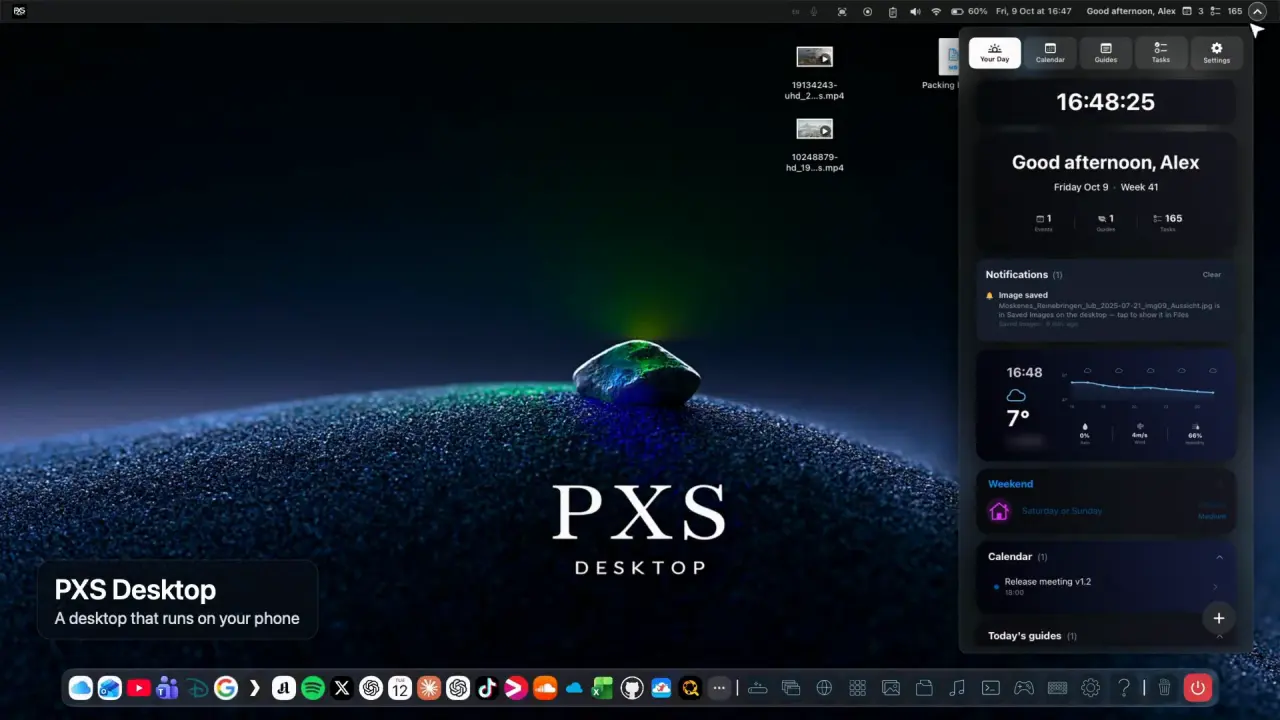
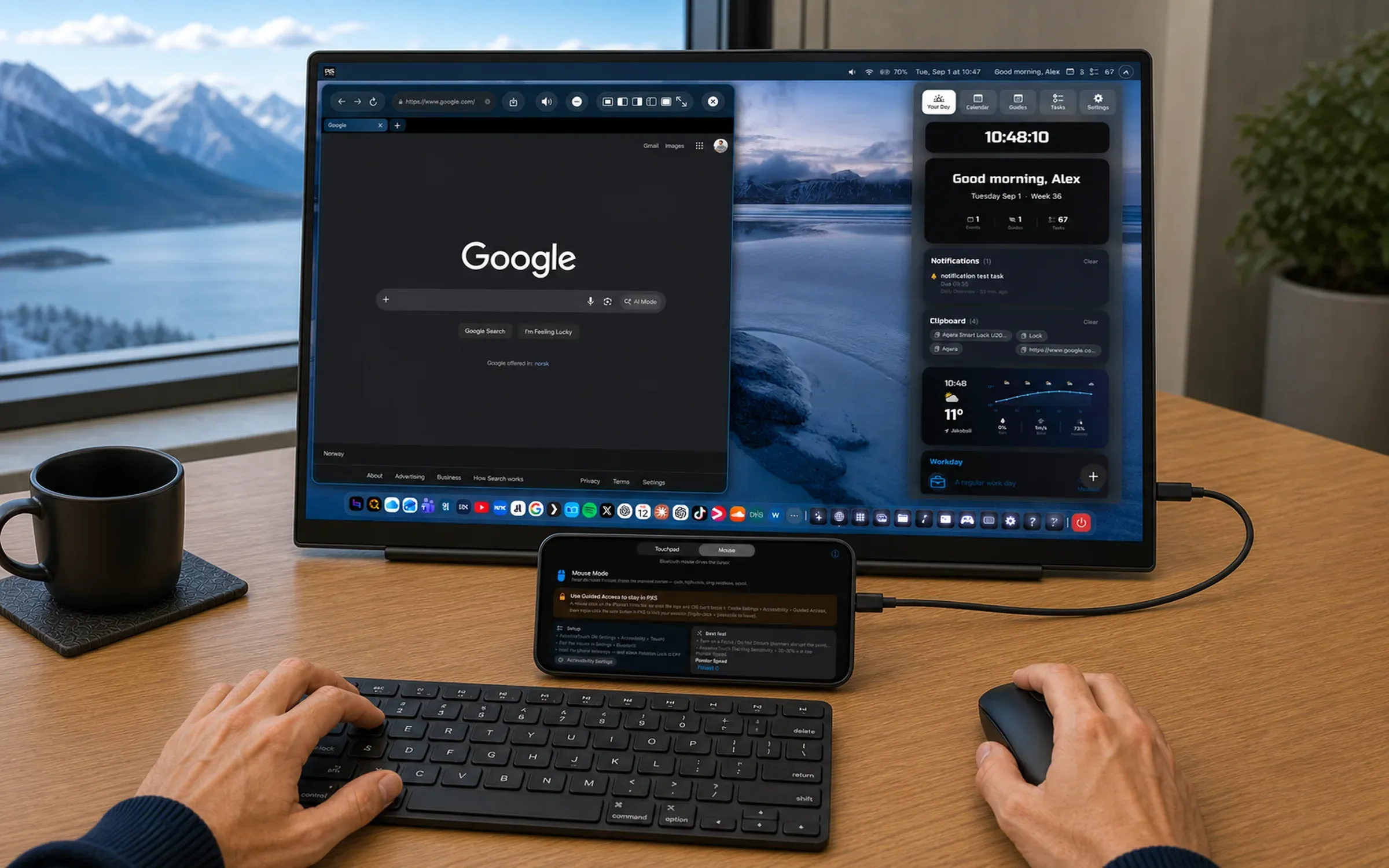
PXS Desktop turns an iPhone, iPad or Android phone into a real desktop, with windows, a dock and a desktop-class browser, on a monitor, a TV, AR glasses or any web browser. PXS Desktop turns your iPhone into a real desktop, with windows, a dock and a desktop-class browser, on a monitor, your TV, AR glasses or any web browser. Plug in a monitor, stream to any browser with no cable at all, or turn your tablet into a computer. Your phone is the trackpad.

Download on the App Store Coming soon on Google Play

Free to try: 3 days of use, starting the first time you connect a screen.

Your phone already has the power of a laptop. What it never had is a desktop.

PXS gives it one: windows, a dock, a launcher and a real browser, on whatever screen is in front of you, with the phone as your trackpad.

Any screen

Plug in. Mirror.
Or just open a browser.

PXS uses the screen in front of you, and when there isn't one, a browser or the device in your hands will do.

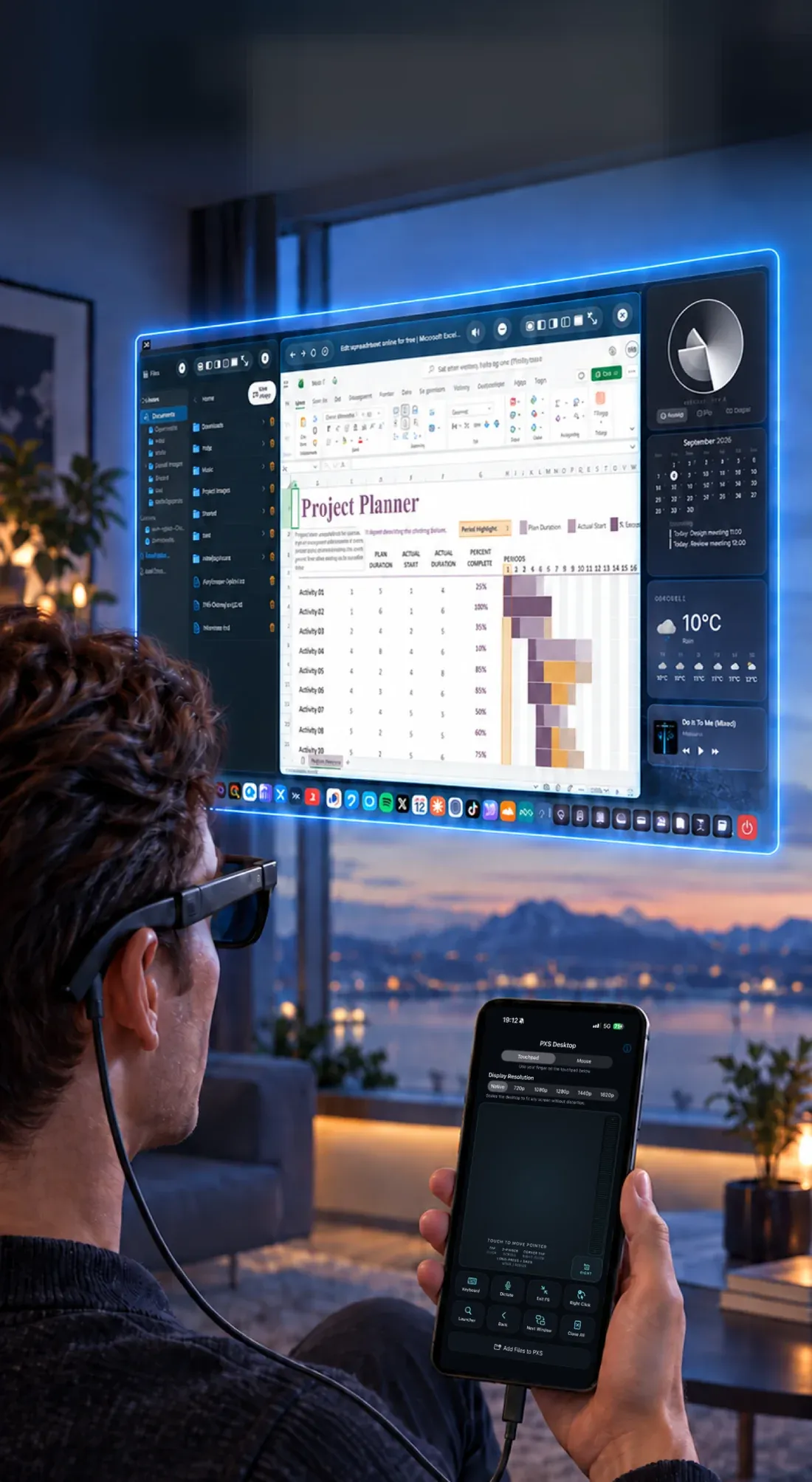
  • A man wearing AR glasses sees a floating desktop, with his iPhone in his hand as the touchpad.

    AR glasses

    A huge private desktop only you can see. Viture, XREAL, RayNeo, Rokid and Lenovo Legion glasses plug in over USB-C.

    • iPhone & iPad
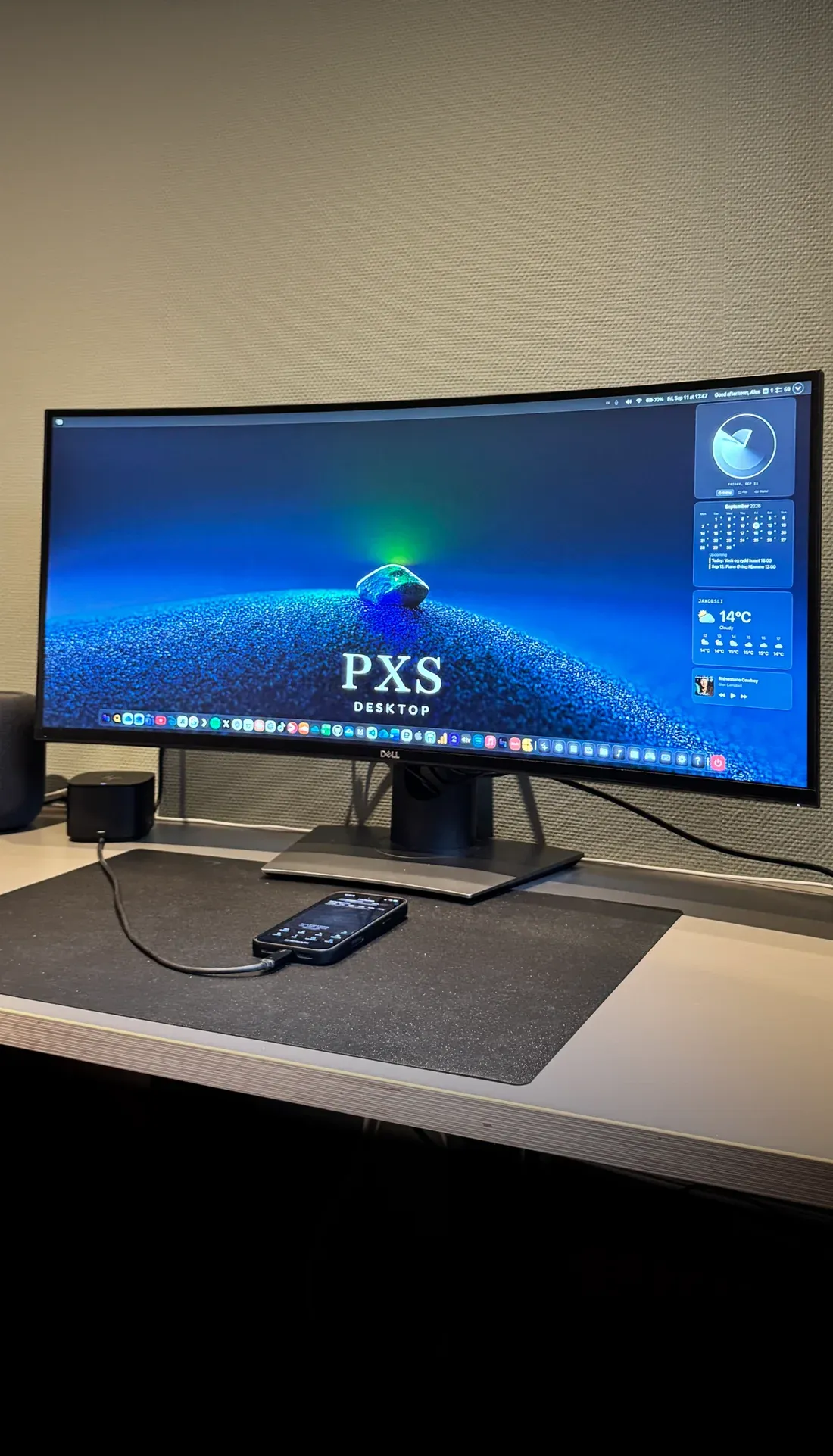
  • An iPhone cabled to a curved desk monitor showing the PXS desktop.

    Any monitor

    USB-C straight in, or HDMI through an adapter. The desktop runs at the screen's own resolution.

    • iPhone & iPad
    • Android
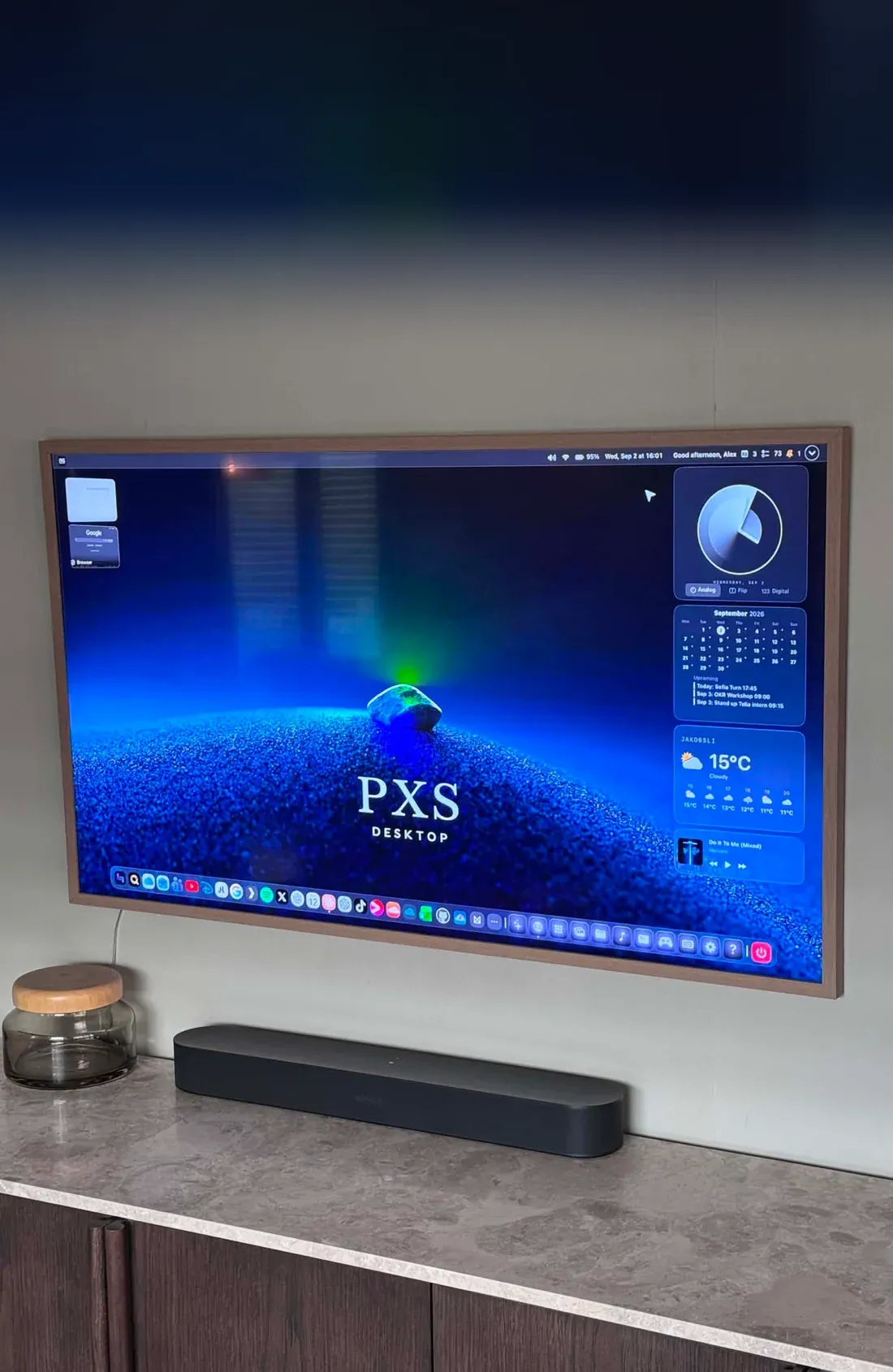
  • A wall-mounted TV showing the PXS desktop over AirPlay.

    Your TV, wirelessly

    Screen Mirroring to Apple TV or any AirPlay 2 TV.

    • iPhone & iPad
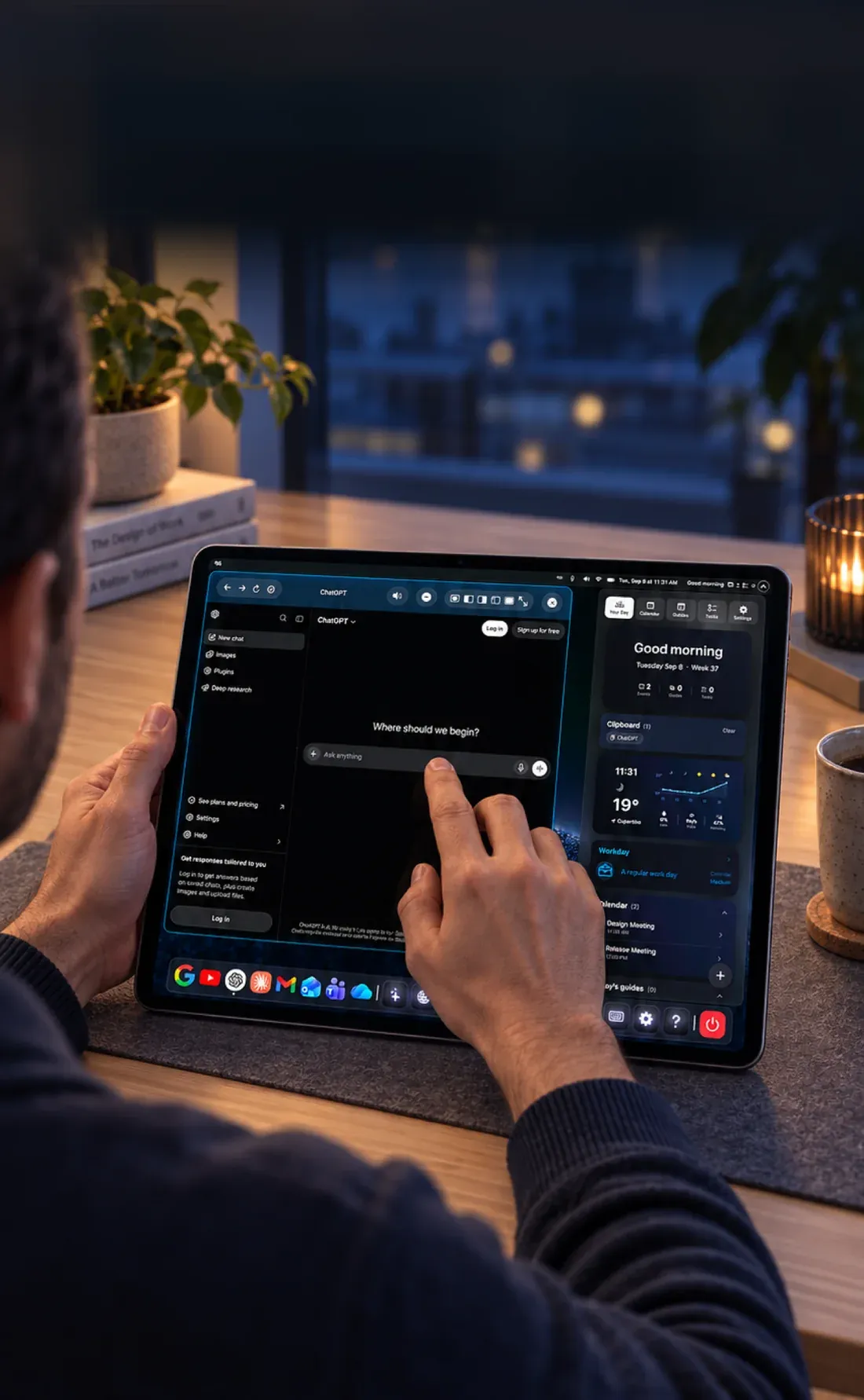
  • Hands using the PXS desktop directly on an iPad's own screen.

    Right on your tablet

    DirectScreen runs the whole desktop on the tablet itself, iPad or Android.

    • iPhone & iPad
    • Android
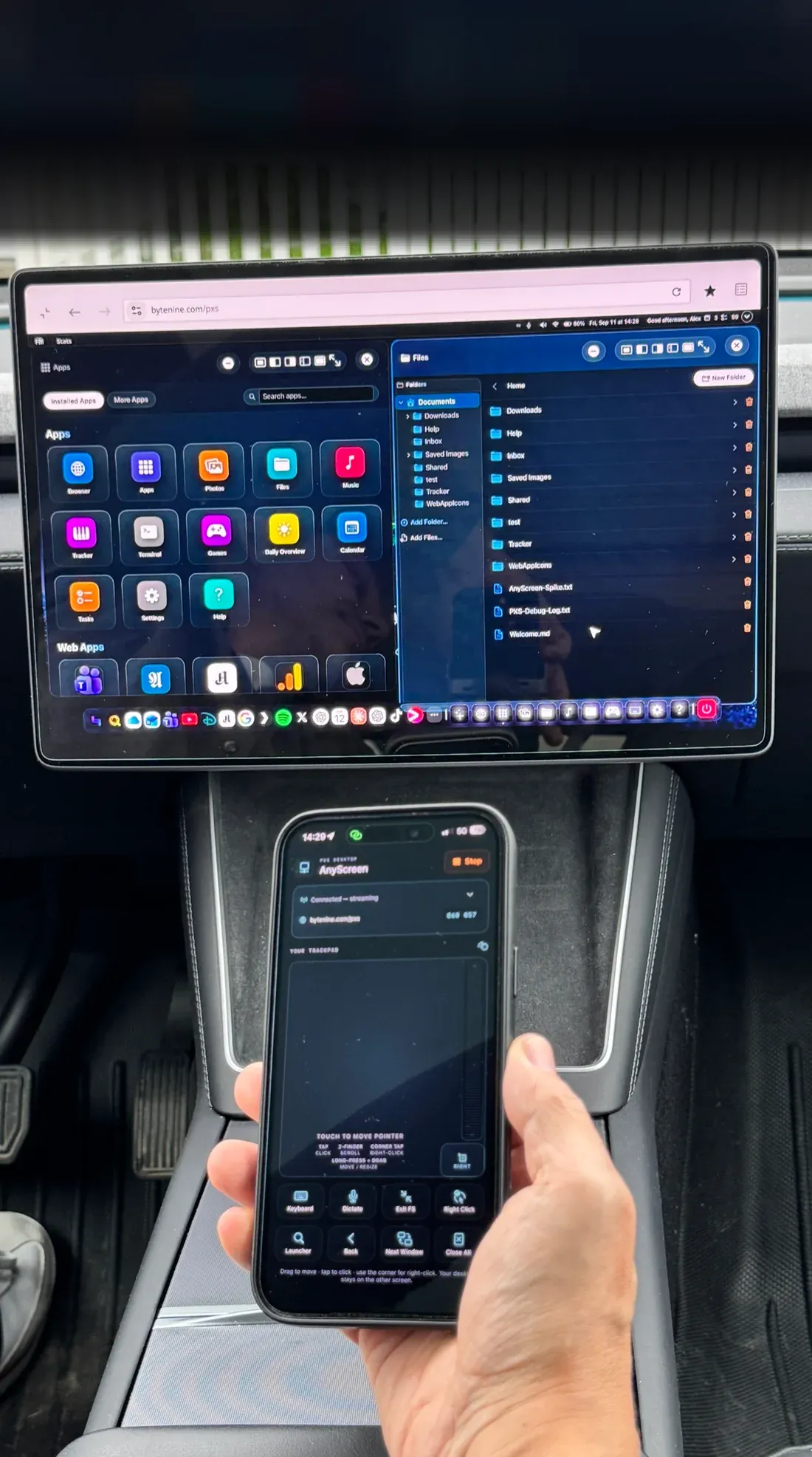
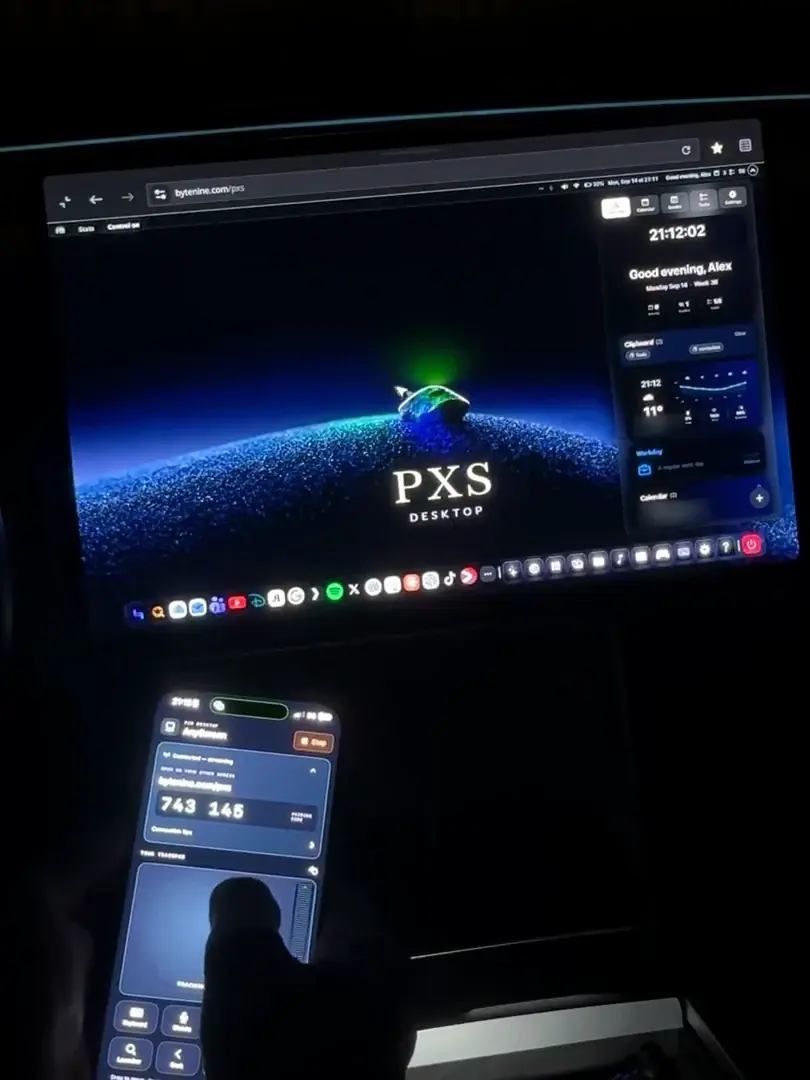
  • A car's centre screen showing the PXS desktop, with an iPhone in the driver's hand.

    Any browser, no cable

    A laptop, a smart TV, even a parked car: open bytenine.com/pxs, type the code, and your desktop streams in.

    • iPhone & iPad
    • Android
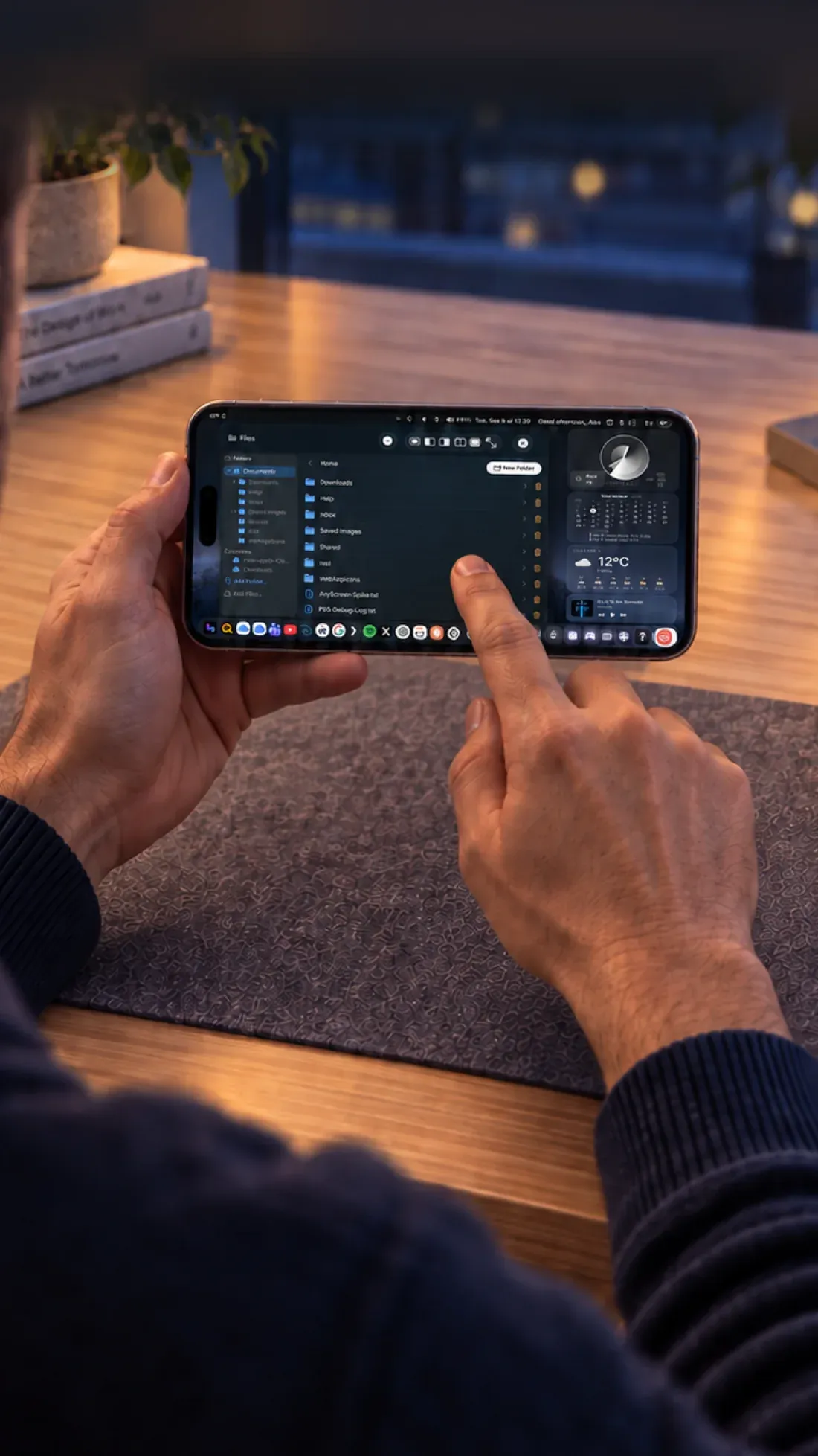
  • An iPhone held sideways running the full PXS desktop on its own screen.

    Or just the phone

    The same desktop on the phone's own screen, just smaller. On iPhone Duo it fills the big inner screen. Nothing to plug in.

    • iPhone & iPad
    • Android

AR glasses and cars are tested with iPhone. On Android, a wired screen needs a phone with USB-C video output.

The desktop

It's not a mirror.
It's a desktop.

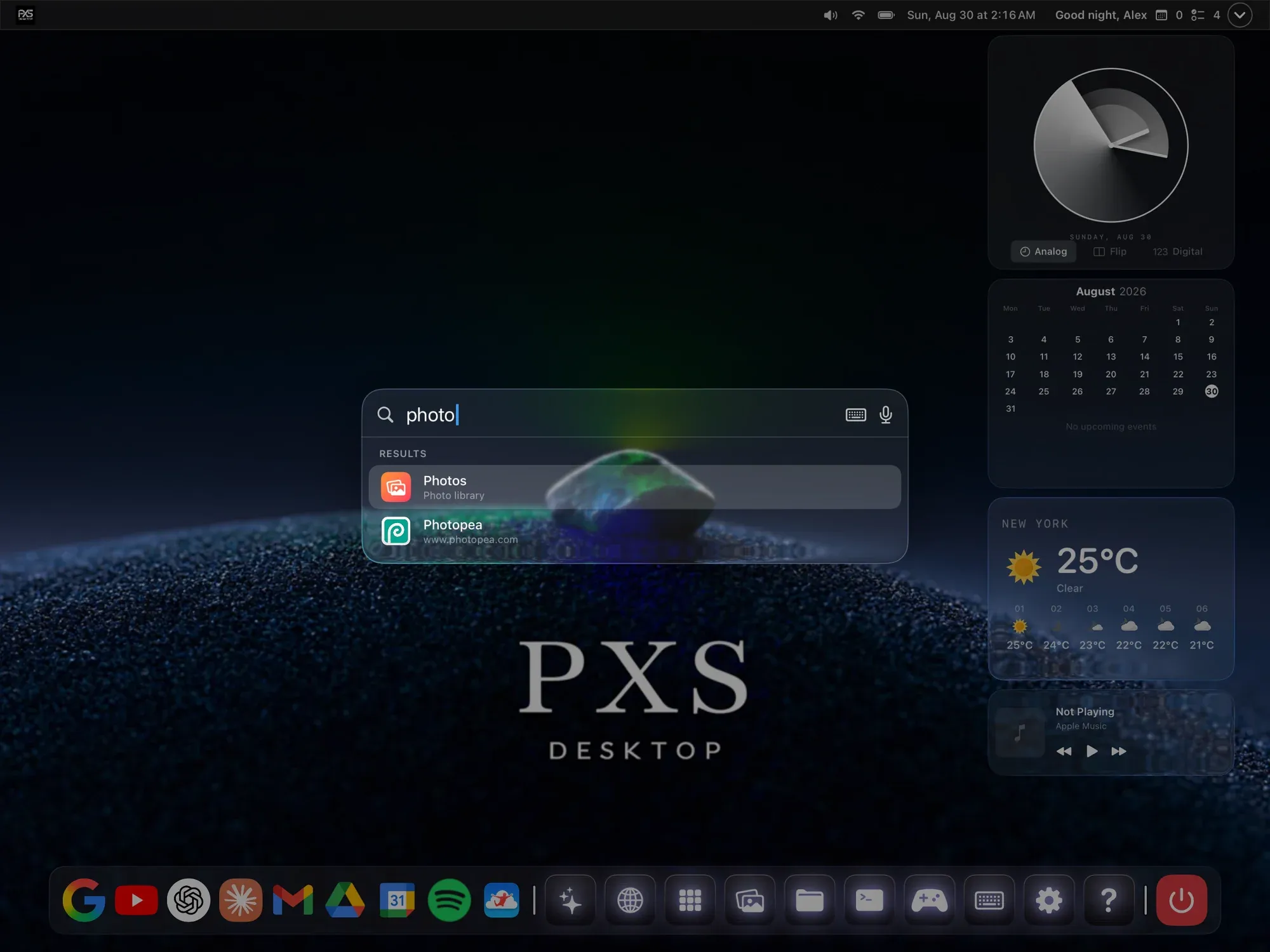
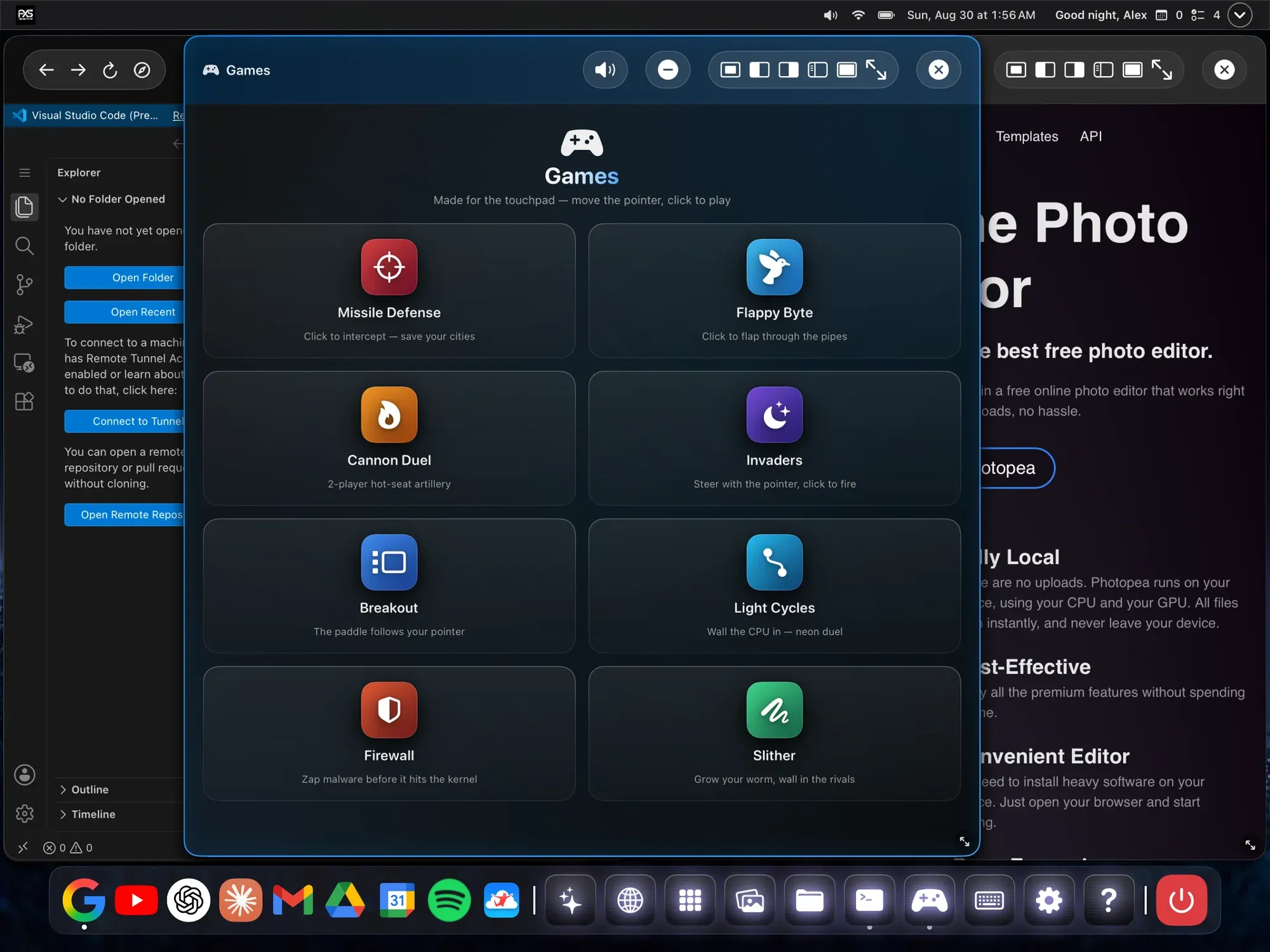
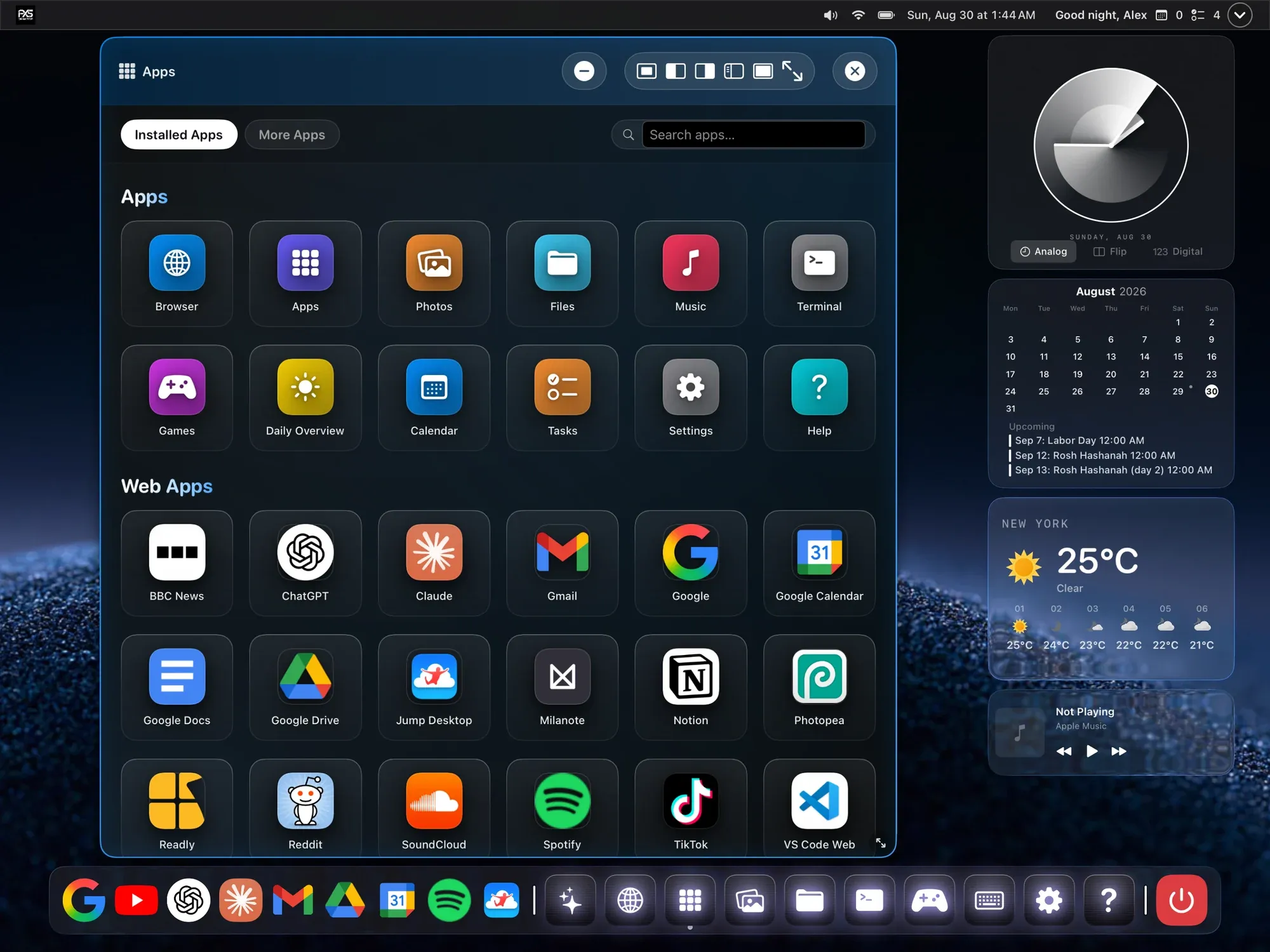
Real windows, a dock, a launcher and a browser that gets the full websites, drawn for the big screen and driven from your phone.

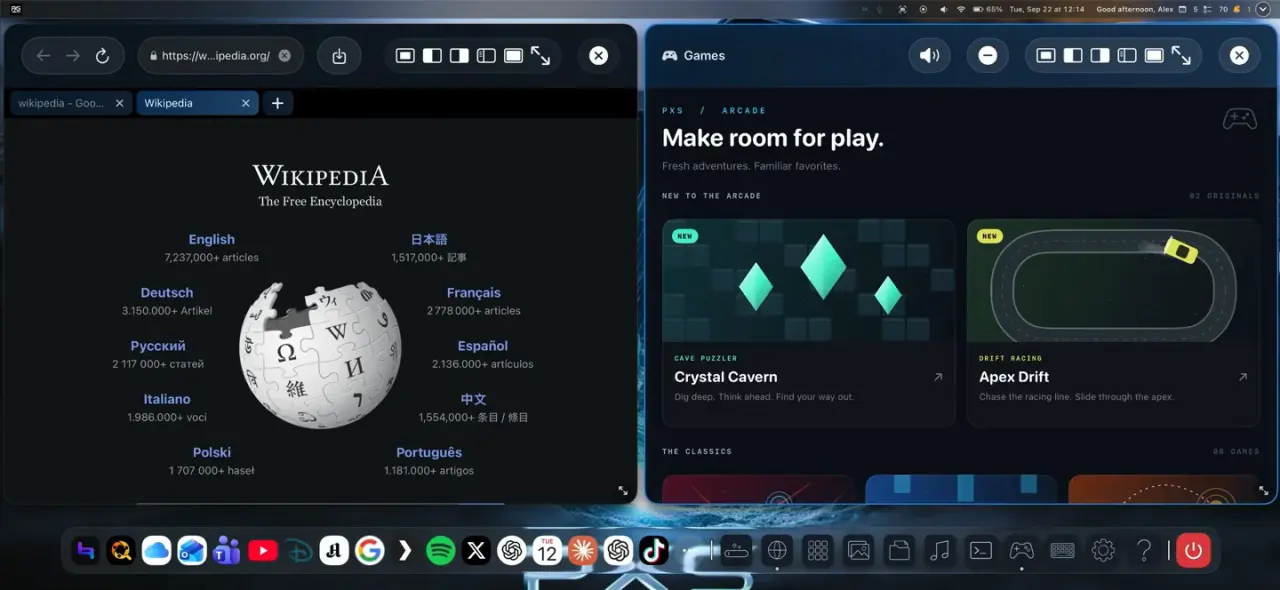
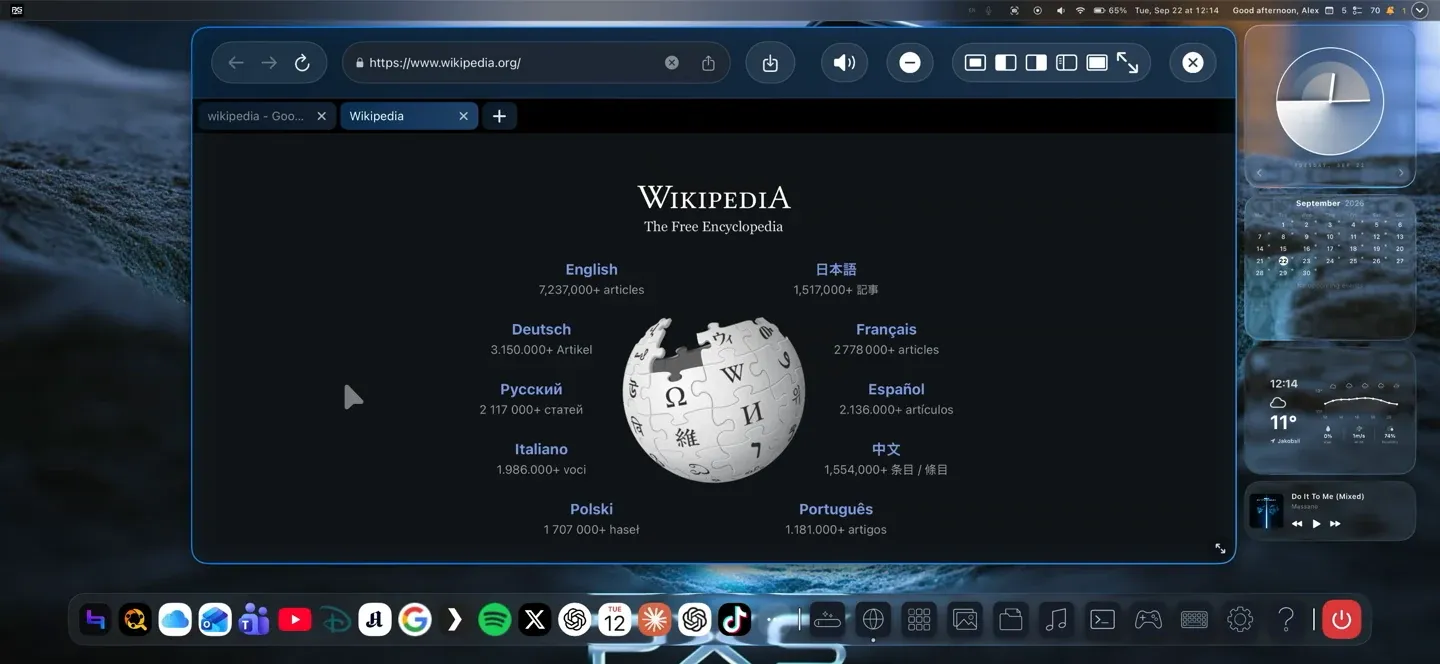
Wikipedia's desktop site in a PXS browser window with two tabs.

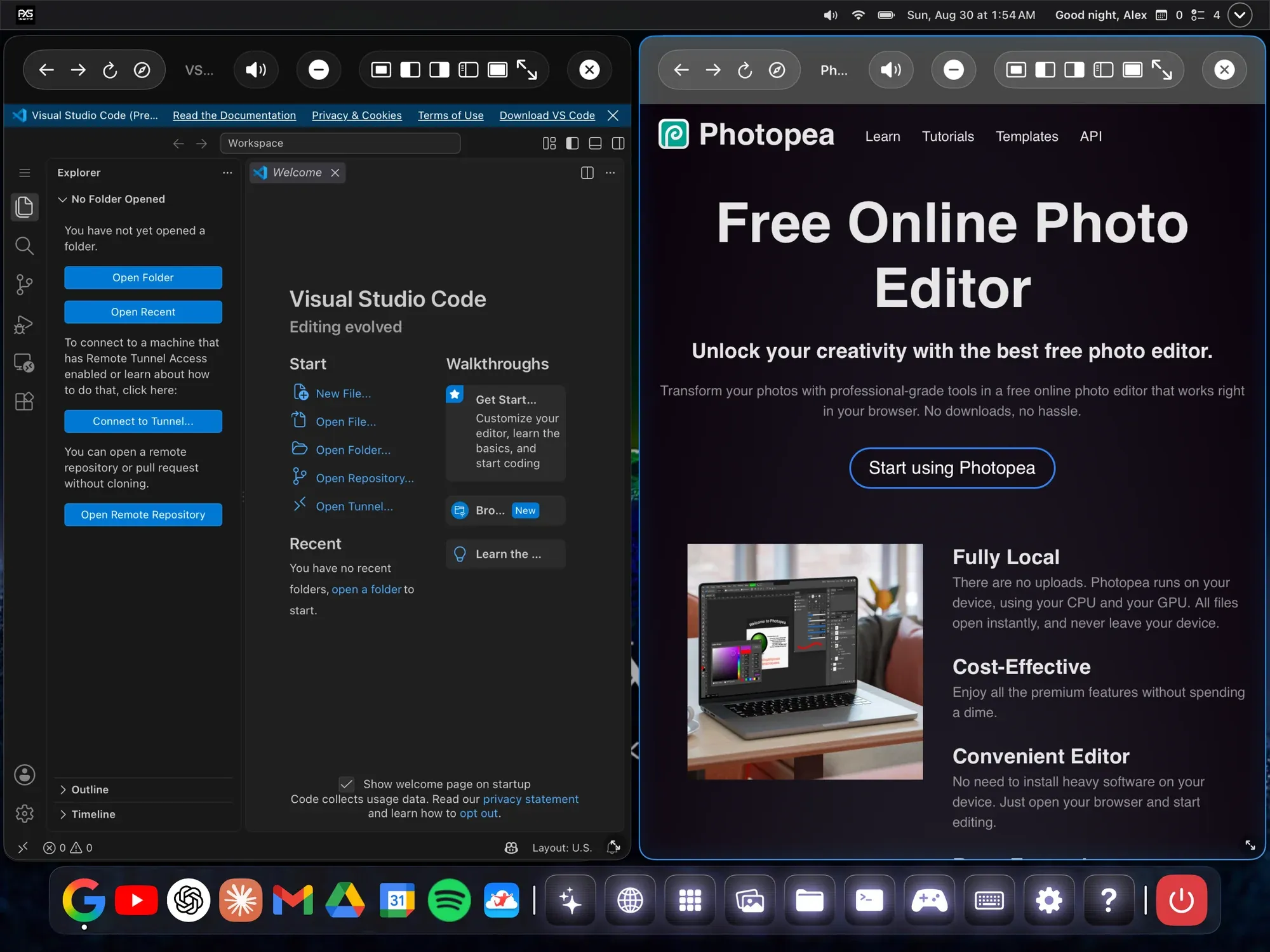
Real windows.

Move them, resize them, snap two side by side. Minimize to the dock, and go fullscreen when a game or a video deserves it.

A desktop-class browser.

The full versions of the sites you use, with tabs, downloads and sign-ins that work. Not the mobile ones.

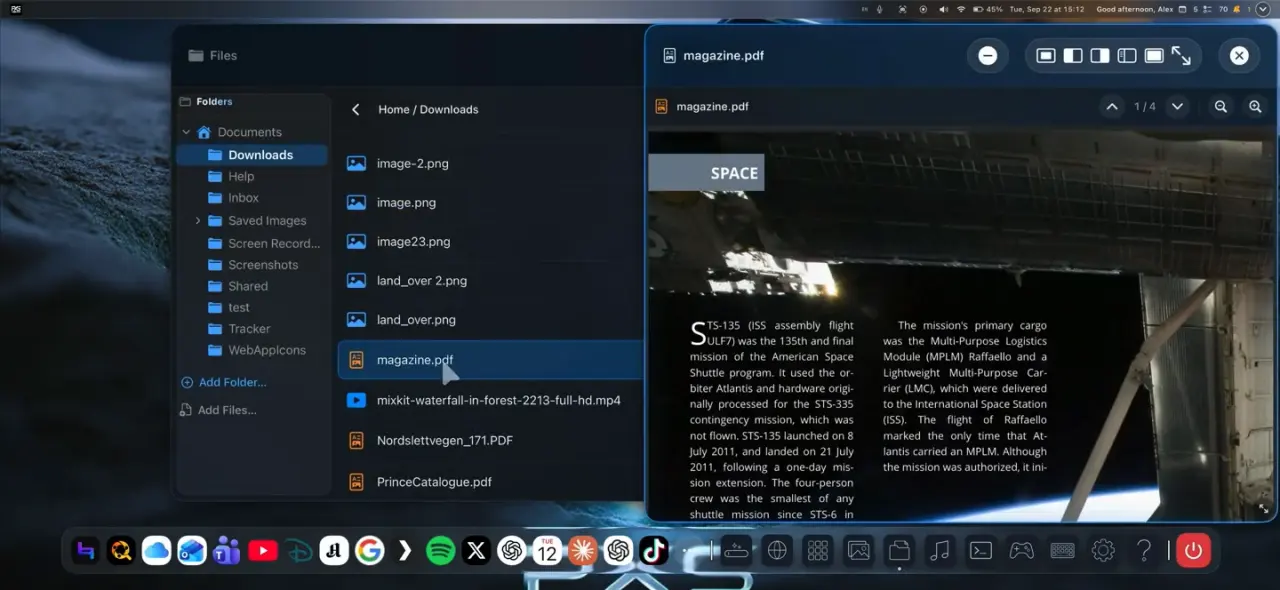
Files, photos, PDFs and video.

A real file manager, with viewers for photos, documents and video that open in windows of their own.

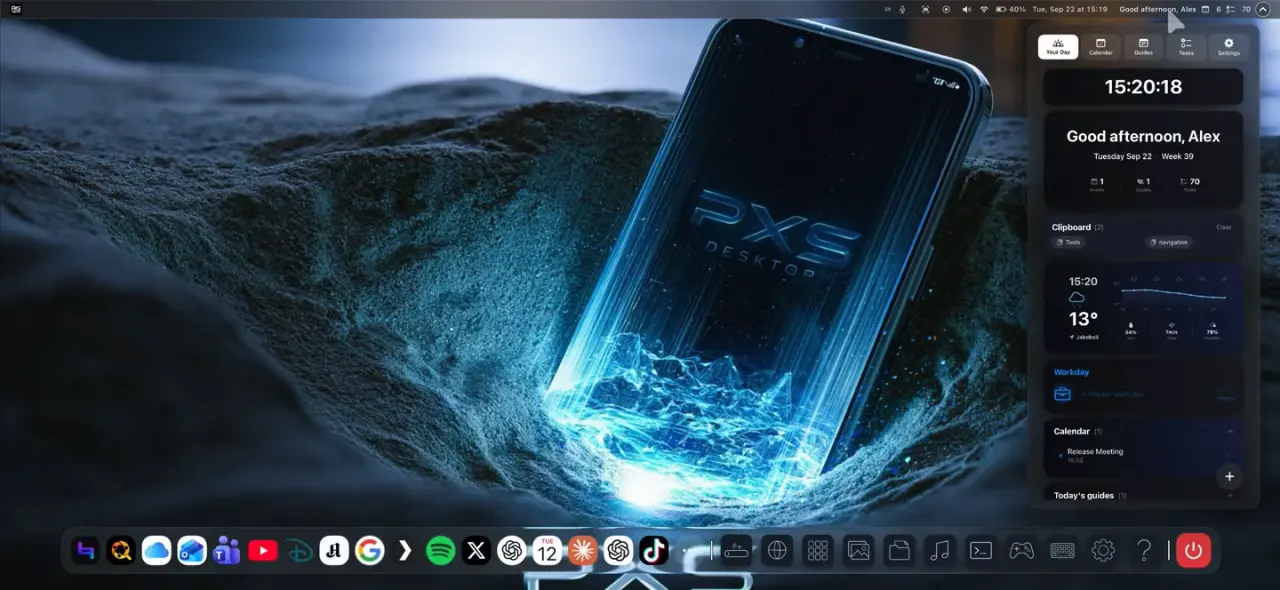
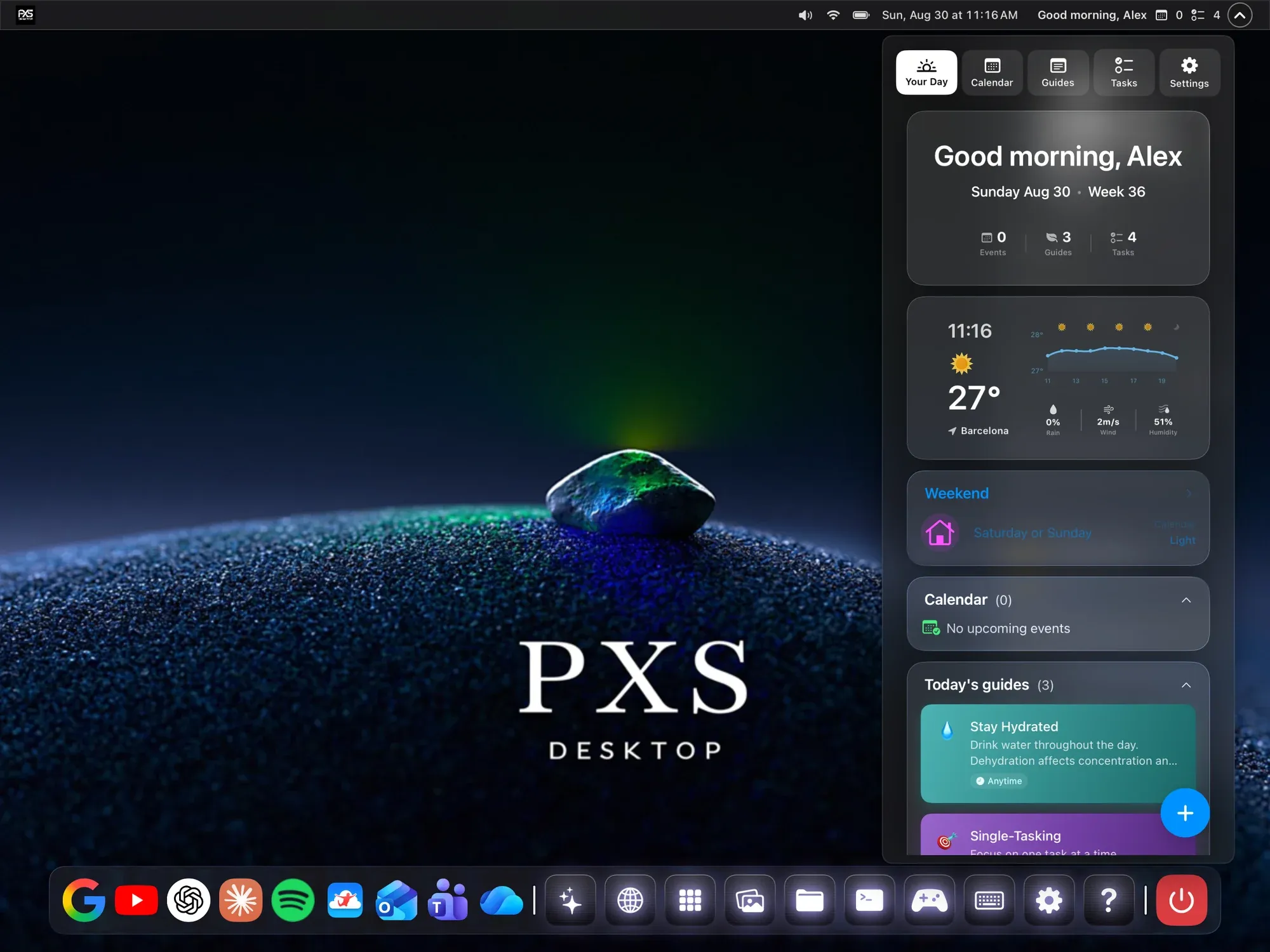
Your day at a glance.

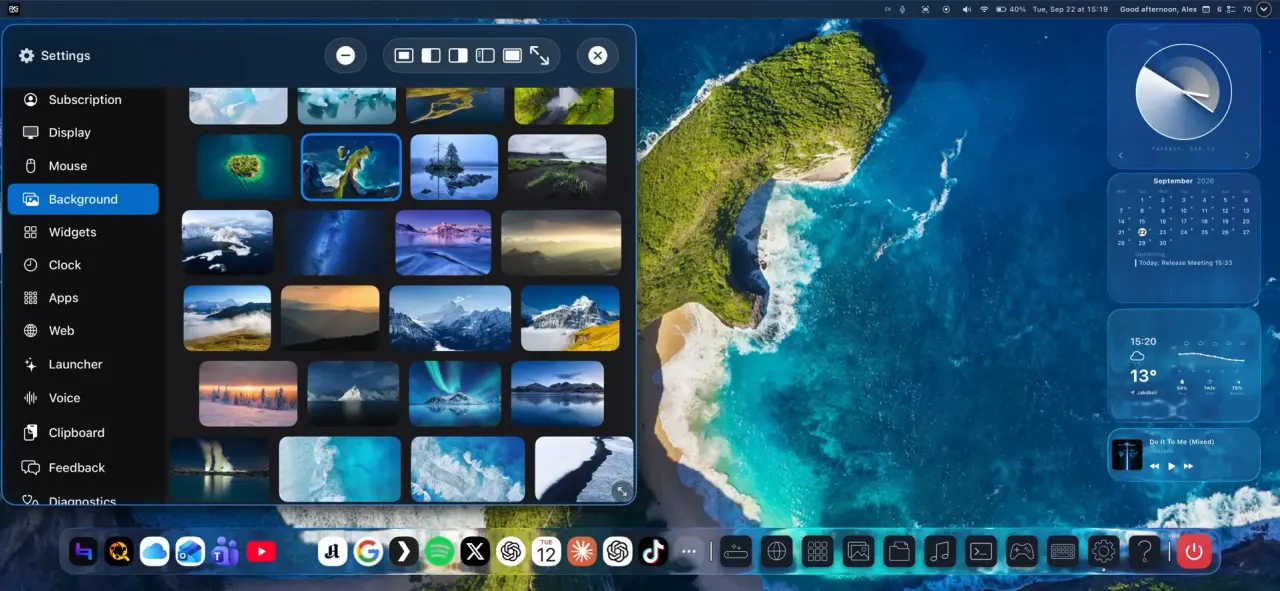
Clock, calendar and weather widgets on the desktop, and a Daily Overview of everything today holds.

  1. Real windows.

    Move them, resize them, snap two side by side. Minimize to the dock, and go fullscreen when a game or a video deserves it.

  2. Wikipedia's desktop site in a PXS browser window with two tabs.

    A desktop-class browser.

    The full versions of the sites you use, with tabs, downloads and sign-ins that work. Not the mobile ones.

  3. Files, photos, PDFs and video.

    A real file manager, with viewers for photos, documents and video that open in windows of their own.

  4. Your day at a glance.

    Clock, calendar and weather widgets on the desktop, and a Daily Overview of everything today holds.

  • iPhone & iPad
  • Android

Make it yours.

Wallpapers, themes, widgets and chrome styles. A desktop that looks the way you want, on every screen.

AnyScreen

No cable.
No monitor.
Just a browser.

Any modern browser can be your display: a laptop you already own, a smart TV, the TV in a hotel room, even the screen in a parked car.

  1. 1

    Start AnyScreen in PXS. Your phone shows a code.

  2. 2

    Open bytenine.com/pxs on the other screen and type the code.

  3. 3

    That's it. Your phone drives the desktop, and so can that screen's own mouse, keyboard or touchscreen if you allow it.

  • iPhone & iPad
  • Android

The phone and the screen need to share a Wi-Fi network or your phone's hotspot. In a car, AnyScreen is for passengers and parked use only, never while driving.

Filmed with an iPhone in a parked car.

Control

Your phone is
the trackpad.

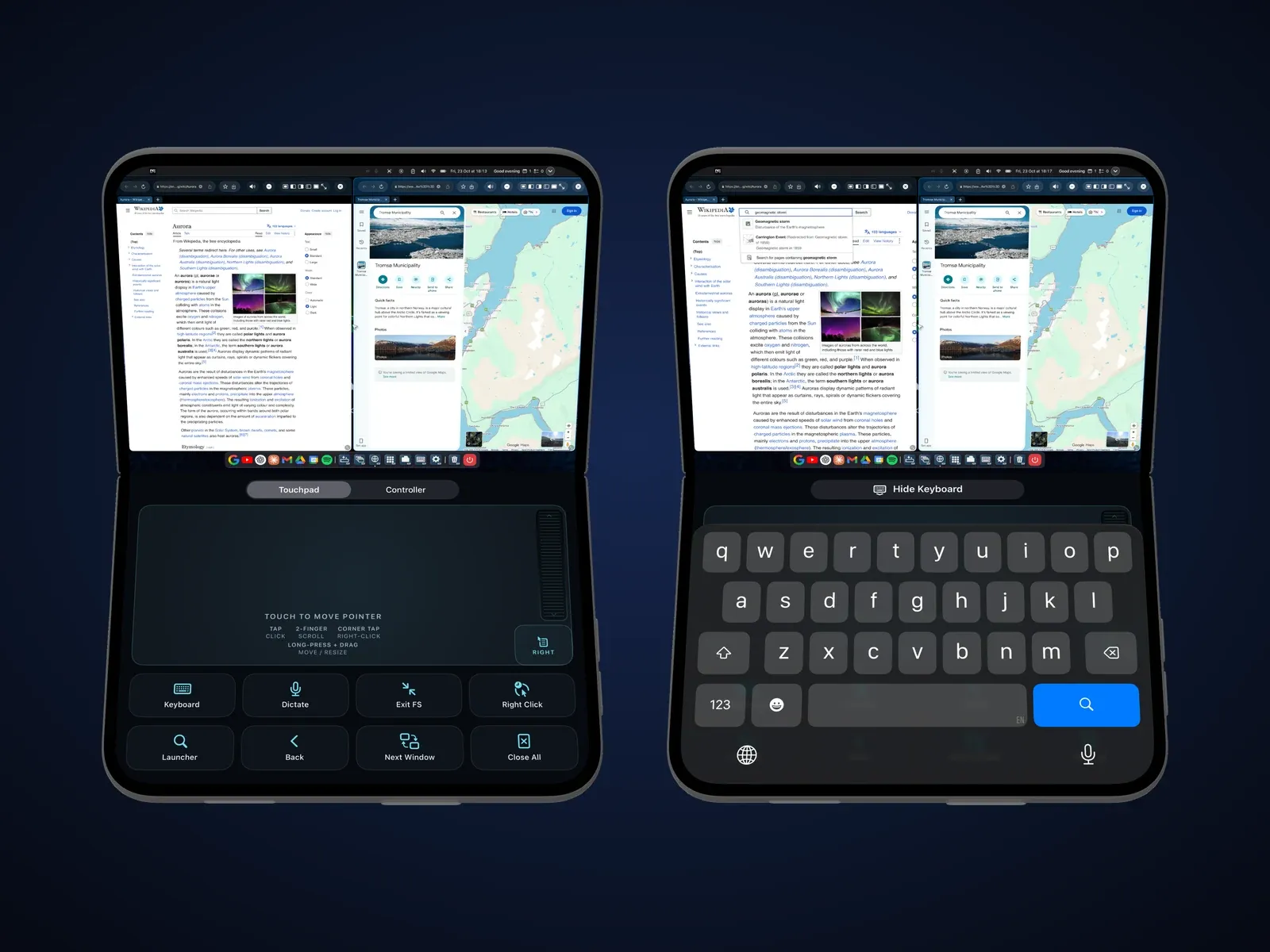
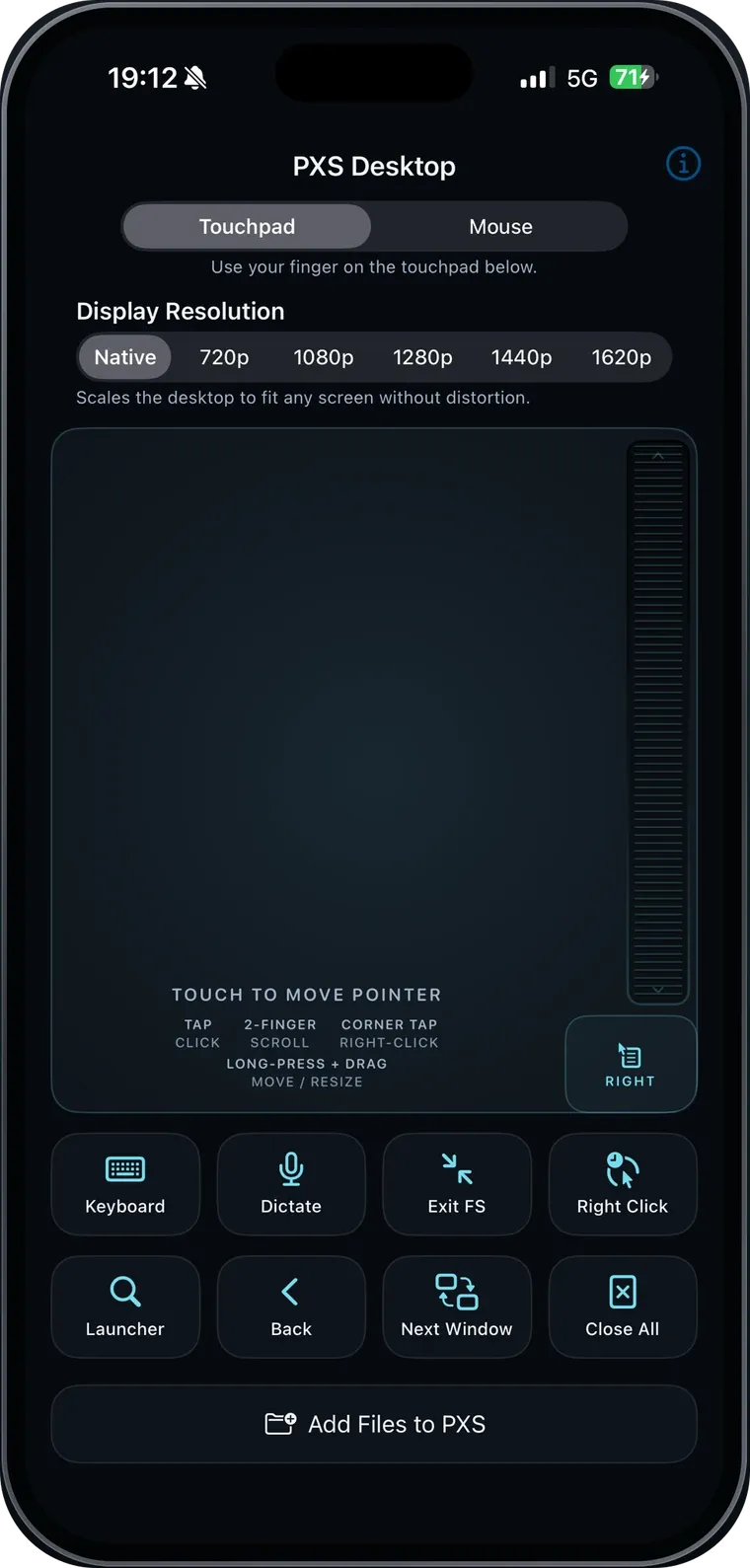
The whole phone screen becomes a precision touchpad, and the phone's keyboard types on the big screen.

  • Tap, scroll, right-click, drag.

    Tap to click, two fingers to scroll, hold to drag. Everything a trackpad does.

    • iPhone & iPad
    • Android
  • Type, or just talk.

    Type on the phone, or press Dictate and speak into any field on the desktop.

    • iPhone & iPad
    • Android
  • Keyboard and mouse.

    Pair a Bluetooth keyboard and mouse for the full laptop feel.

    • iPhone & iPad
  • A game controller, too.

    Hold the phone sideways for two sticks, a D-pad and buttons, or pair a real controller. Cloud and browser games read either.

    • iPhone & iPad
    • Android

iPhone, iPad and Android

One desktop.
Both platforms.

  • iPhone & iPad

Leave the laptop at home.

Your phone is the computer. PXS was built for the pocket-computer dream: glasses on your face, phone in your hand, and a huge desktop nobody else can see.

  • USB-C monitors, HDMI through an adapter, and AR glasses
  • Screen Mirroring to Apple TV and AirPlay TVs
  • AnyScreen to any browser, including a parked car's
  • Show on This Screen, on iPad or iPhone
  • Bluetooth keyboard and mouse
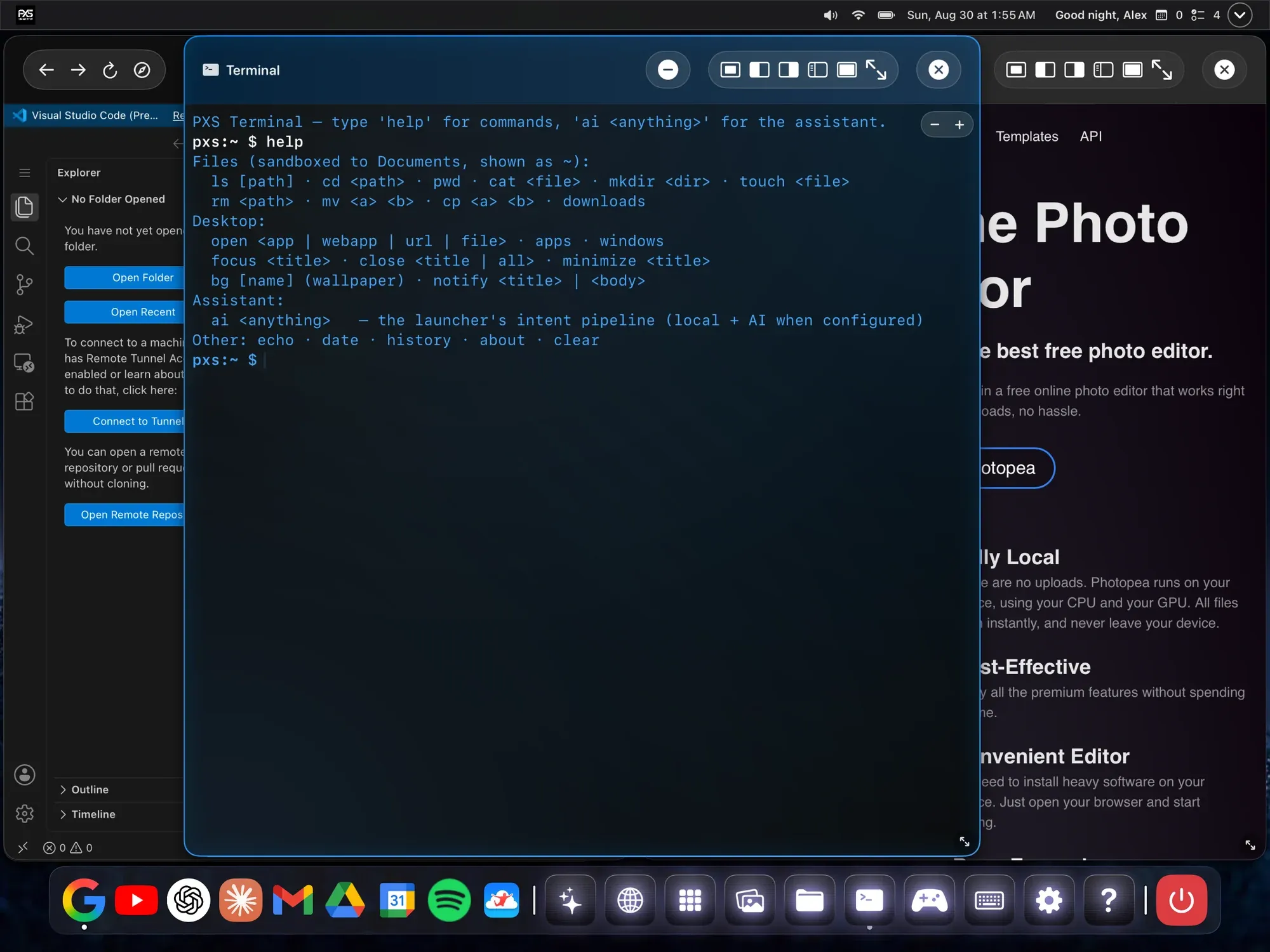
  • A terminal, a text editor and keyboard shortcuts
  • A greeting in a studio-quality voice that runs on the iPhone

Requires iOS or iPadOS 18 or later.
  • Android

A desktop for every screen.

Built AnyScreen-first, so no DisplayPort is no problem: any browser becomes a screen, and a tablet becomes a computer on its own.

  • A cable to a monitor or TV, on phones with USB-C video output
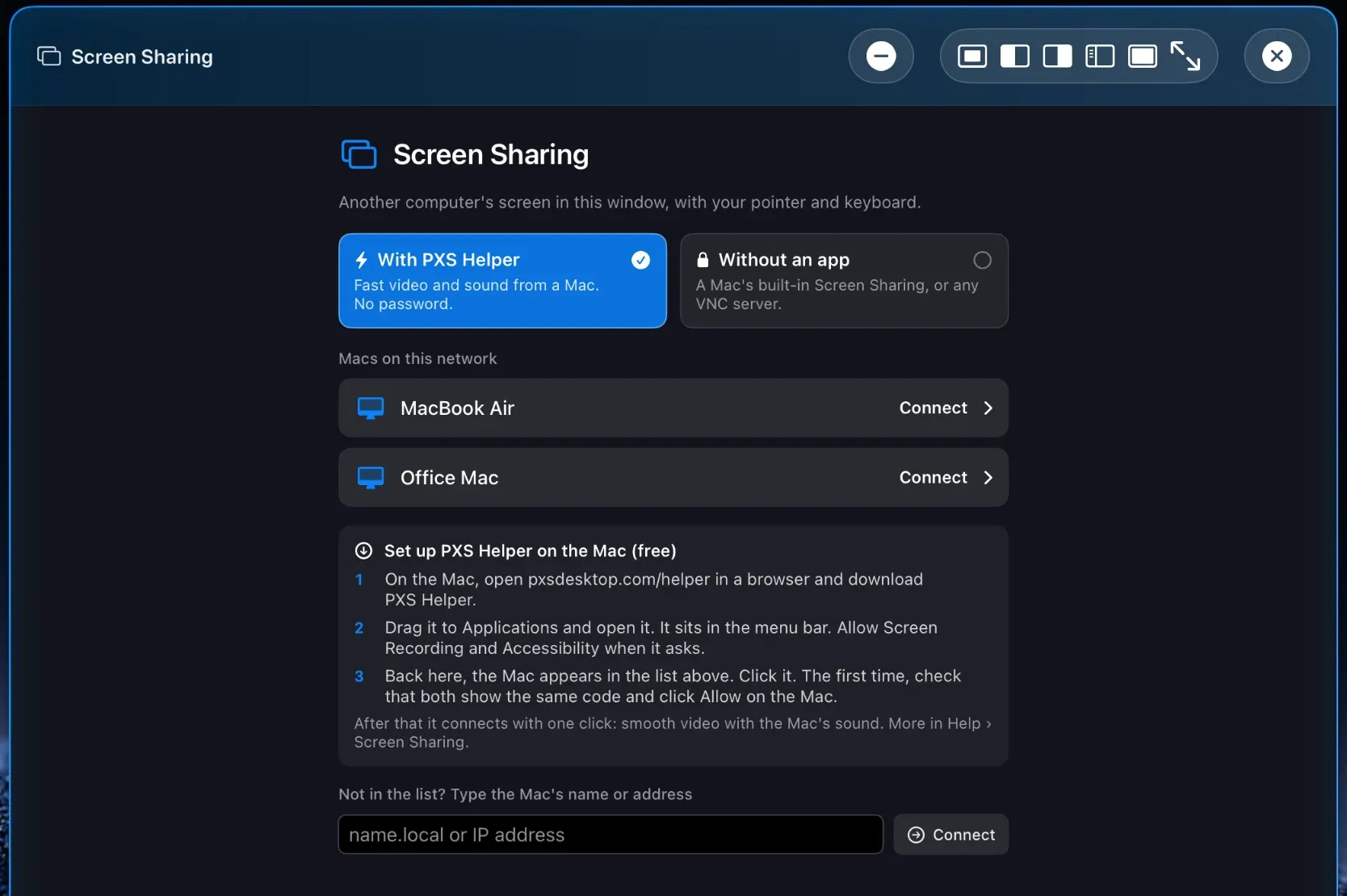
  • AnyScreen to any browser, no cable at all
  • DirectScreen on tablets, and on phones
  • Your phone's notifications, right on the desktop
  • A window overview, and snapping by dragging to an edge
  • A clock with alarms, and a spoken greeting

Requires Android 13 or later.

The honest list

What PXS doesn't do.

We're a small shop, and we'd rather tell you up front.

  • Your phone's apps open on the phone.

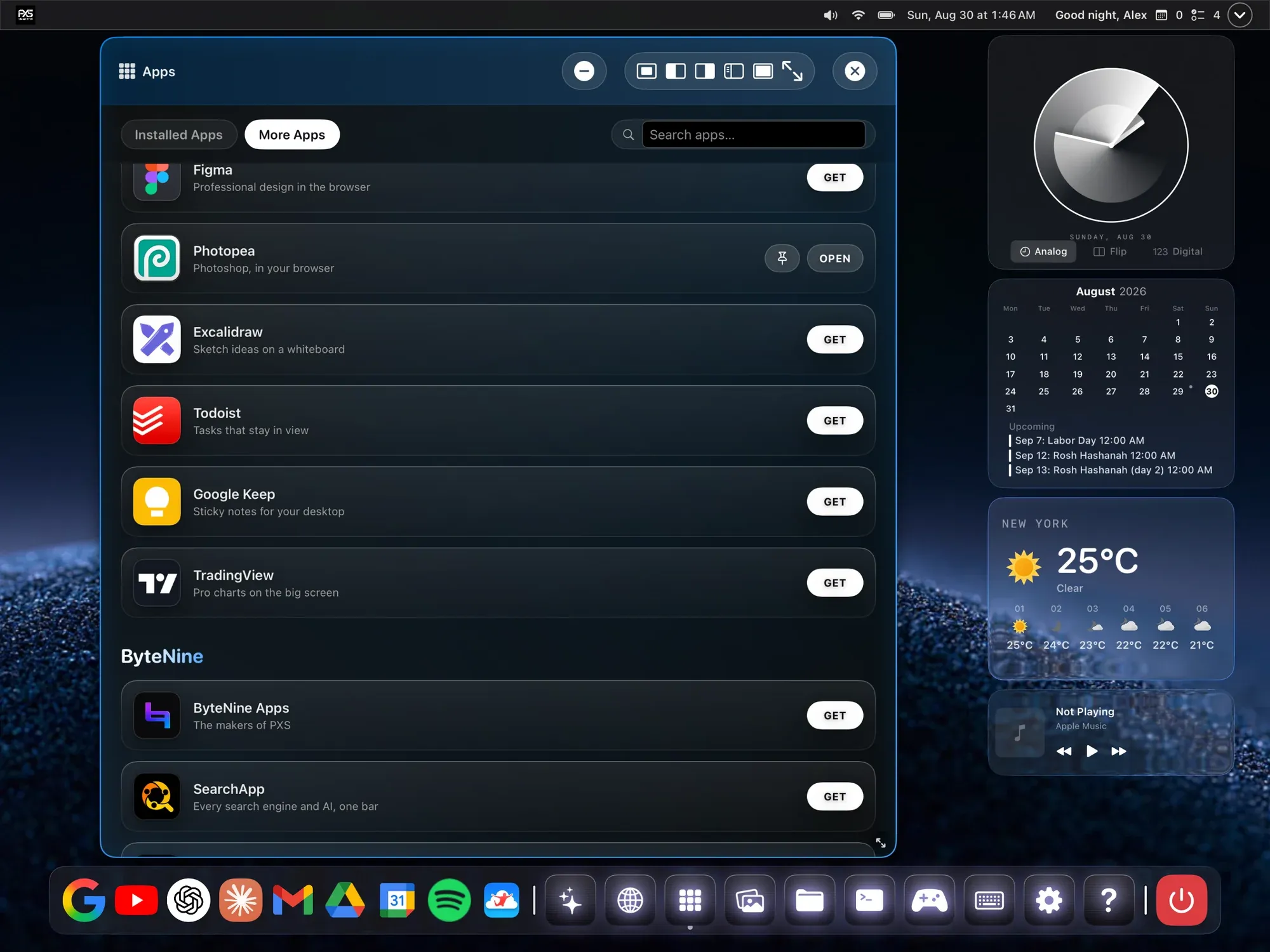
    PXS is its own desktop, with web apps and its own built-in apps. Your phone's apps can sit in the dock and the launcher, but a click opens them on the phone, not in a PXS window.

    • iPhone & iPad
    • Android
  • Apple TV+ won't play in the browser.

    On iPhone, tv.apple.com opens Apple's TV app instead. Netflix, HBO Max, Disney+, Prime Video, Apple Music and Plex play in PXS.

    • iPhone & iPad
  • A wired screen needs a video cable.

    Charging cables carry power only, including the one in the box. Use a USB-C cable that carries video, like the one that came with your glasses or monitor.

    • iPhone & iPad
    • Android
  • Mouse mode takes a minute to set up.

    On iPhone, a Bluetooth mouse needs a one-time AssistiveTouch setup. The app walks you through it.

    • iPhone & iPad
  • Other apps' notifications stay on the iPhone.

    iOS doesn't let one app show another's notifications. On Android, your phone's notifications do appear on the desktop.

    • iPhone & iPad
  • Parked, not driving.

    In a car, AnyScreen is for passengers and parked use only. Never while driving.

    • iPhone & iPad
    • Android

Pricing

Try everything.
Free.

Your free trial is 3 days of use. It starts the first time you connect a screen, not when you install, and it only counts the days you actually use it.

After that, one purchase makes PXS yours for good, or you can subscribe by the year or the month.

  • No ads
  • No account
  • Your files stay yours
Download on the App Store Coming soon on Google Play

Prices are shown in the App Store and Google Play in your currency.

Questions

Good to know.

Which iPhones and iPads work?

Any iPhone or iPad on iOS or iPadOS 18 or later. A wired screen needs a cable or adapter that carries video; AirPlay, AnyScreen and Show on This Screen need no cable at all.

Which Android phones and tablets work?

Android 13 or later. For a wired screen, the phone needs USB-C video output (DisplayPort Alt Mode), which many budget phones lack. We've tested cable mode on Samsung Galaxy; there, set Settings › Connected devices › Samsung DeX › Connected display to Mirrored. AnyScreen and DirectScreen work without it.

Which cable do I need?

One that carries video. Charging cables, including the white one in the iPhone box, carry power only. Use the cable that came with your glasses or monitor, a Thunderbolt cable, or a USB-C to HDMI adapter.

Which AR glasses work?

Glasses that act as a USB-C display. Viture, XREAL, RayNeo, Rokid and Lenovo Legion Glasses work with PXS on iPhone. If your glasses show up as a screen when plugged in, they work.

Can I use my phone's apps on the desktop?

You can put them in the dock and the launcher, from Apps. A click opens the app on the phone, and your windows wait in PXS until you come back. They don't run inside a PXS window.

What does AnyScreen need?

A modern browser on the other screen, with the phone and that screen on the same Wi-Fi or your phone's hotspot. Open bytenine.com/pxs there and type the code PXS shows you.

Do I need an account?

No. There's no sign-up, no ads, and your files stay on your device.

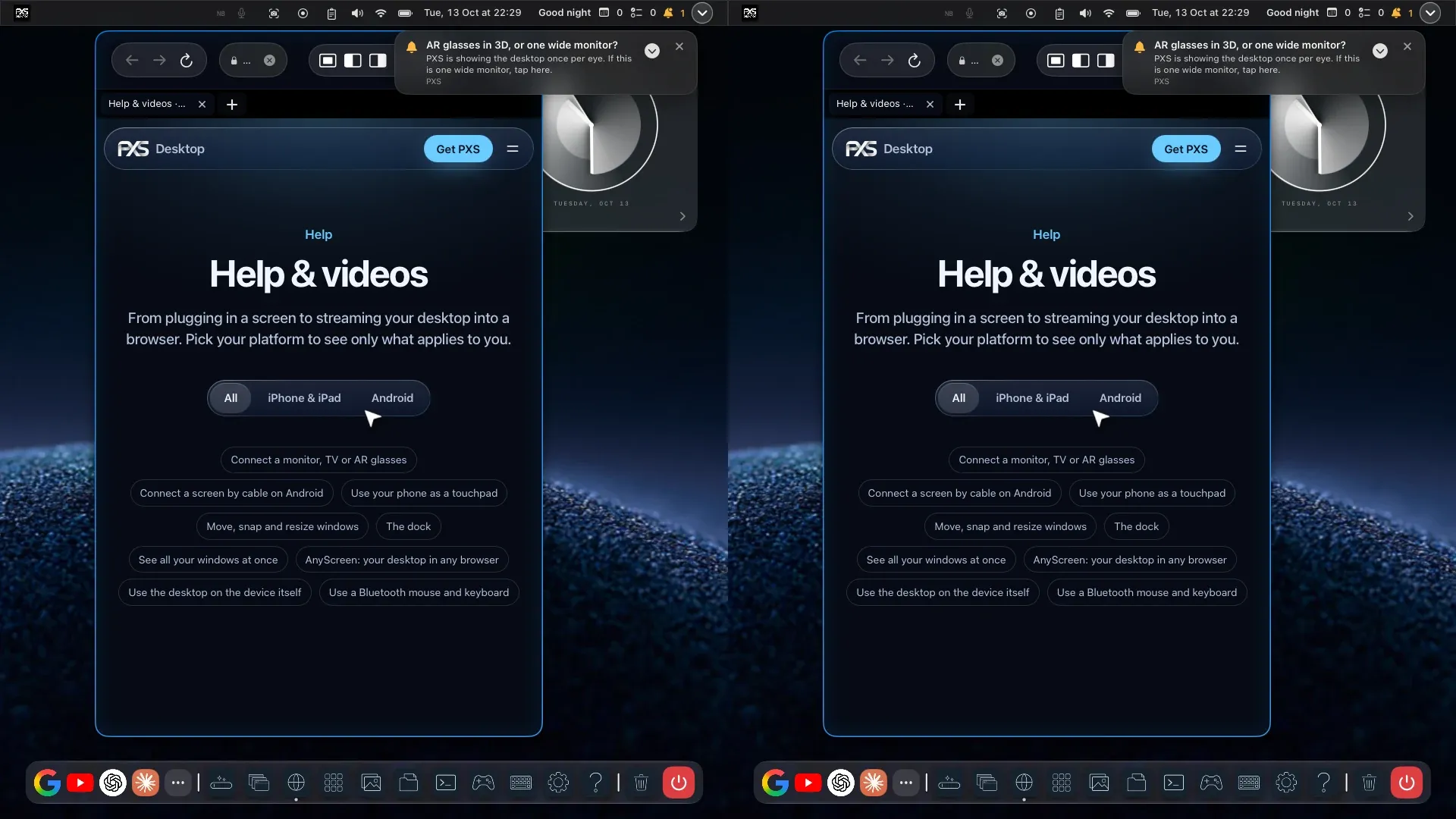
More in Help & videos, or ask on the PXS feedback board, where feature requests are public and voted on.

Leave the laptop
at home.

PXS Desktop for iPhone, iPad and Android.

Download on the App Store Coming soon on Google Play